
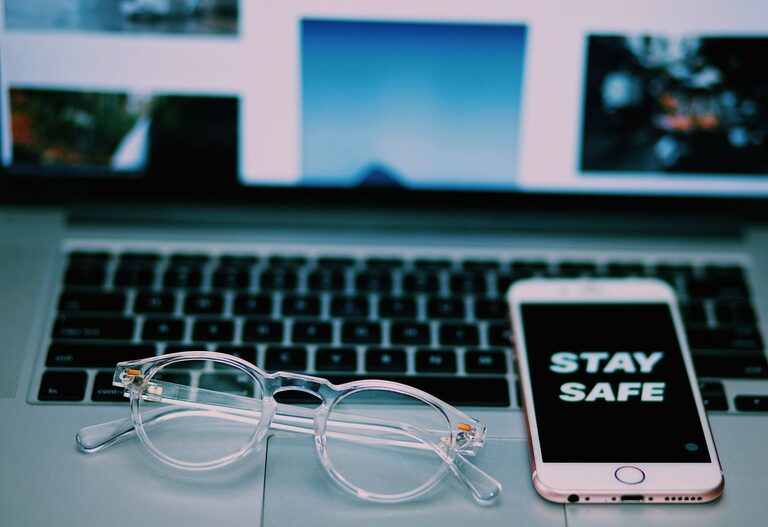
Keeping your everyday devices like your phone and keyboard clean is important for both hygiene and device longevity. However, cleaning these gadgets improperly can cause damage. This guide will walk you through safe and effective methods to clean your phone and keyboard, helping you maintain your devices in top shape without risking harm.
Why Cleaning Your Devices Matters
Phones and keyboards are among the items we touch the most, accumulating dirt, oils, and germs throughout the day. Regular cleaning can:
– Remove bacteria and viruses
– Prevent buildup of grime that affects functionality
– Extend the life of your device
– Improve appearance and user experience
What You’ll Need for Cleaning
Before you start, gather the following supplies:
– Microfiber cloths (soft and lint-free)
– Isopropyl alcohol (70% concentration recommended) or disinfectant wipes safe for electronics
– Cotton swabs or soft-bristled brush
– Compressed air can (optional)
– Distilled water (optional, for diluted cleaning solutions)
Avoid using harsh chemicals like bleach, window cleaners, or abrasive materials as they can damage screens and surfaces.
—
How to Clean Your Phone Safely
Phones have sensitive screens and electronics, so cleaning should be gentle yet effective.
Step 1: Power Off and Unplug
Turn off your phone and disconnect any charging cables or accessories to prevent electrical issues.
Step 2: Remove Case and Accessories
Take off any case, screen protector, or attachments. Clean these separately according to their material.
Step 3: Use a Microfiber Cloth
Gently wipe the phone’s screen and body with a dry microfiber cloth to remove dust and fingerprints. This alone removes much surface dirt.
Step 4: Apply Cleaning Solution Sparingly
Lightly dampen a corner of the microfiber cloth with isopropyl alcohol or a phone-safe disinfectant wipe. Avoid spraying liquids directly on the phone.
Wipe the screen and case carefully, avoiding openings like charging ports and speakers. Alcohol helps disinfect and evaporates quickly.
Step 5: Clean Ports and Buttons
Use a dry cotton swab or a soft brush to clean around buttons and ports. For stubborn dust, compressed air can gently blow it out without inserting anything into the holes.
Step 6: Dry and Reassemble
Allow the phone to air dry completely before putting the case back on or turning it on.
—
How to Clean Your Keyboard Safely
Keyboards collect dust, crumbs, sweat, and germs, especially with frequent use. Here’s how to clean them safely.
Step 1: Unplug Your Keyboard
If you have a wired keyboard, disconnect it. For wireless, turn it off or remove batteries.
Step 2: Remove Loose Debris
Turn the keyboard upside down and gently shake to dislodge crumbs and dust. Use compressed air to blow out particles between keys.
Step 3: Wipe the Surface
Dampen a microfiber cloth with isopropyl alcohol or disinfectant wipe. Wipe all keys and surfaces, ensuring the cloth is not overly wet to avoid liquid damage.
Step 4: Clean Between Keys
For stubborn grime between keys, use a cotton swab dipped lightly in alcohol. Avoid pressing too hard to prevent key damage.
Step 5: Deep Clean (Optional)
If your keyboard is designed for it, you can carefully remove keys to clean underneath. Use a key puller if available and keep track of the layout for reassembly.
Step 6: Let It Dry
Ensure your keyboard is completely dry before reconnecting or powering it on.
—
Additional Tips for Maintaining Clean Devices
– Wash your hands before using devices to reduce dirt transfer.
– Clean your phone and keyboard regularly, ideally once a week.
– Avoid eating directly over your keyboard to minimize crumbs.
– Use protective cases and screen protectors that can be cleaned more easily.
– Store devices in clean areas when not in use.
—
Conclusion
Maintaining clean phones and keyboards is simple with the right tools and techniques. Regular cleaning reduces germs and helps your devices operate better longer. Remember to use gentle cleaning methods and avoid harsh chemicals to protect delicate electronics. With this guide, you can confidently keep your devices fresh and safe for daily use.