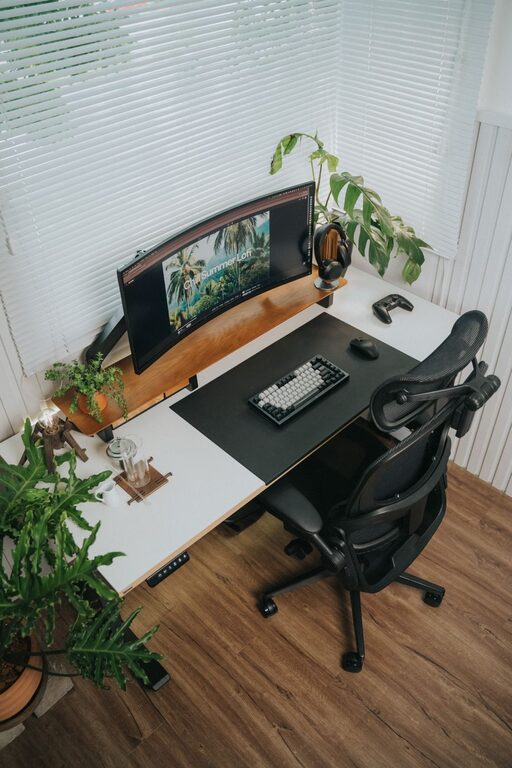
Creating a desk setup that enhances both focus and comfort is essential for productive workdays, whether you’re working from home or in an office. A well-organized and ergonomic workspace not only reduces physical strain but also supports mental clarity and efficiency. In this post, we’ll share practical tips and advice to help you design a desk setup that works for you.
1. Choose the Right Desk and Chair
Desk Height and Size
The height of your desk should allow your elbows to rest comfortably at a 90-degree angle when typing or writing. Standard desk height is around 28–30 inches, but adjustable desks or standing desk converters give you flexibility to switch between sitting and standing.
Choose a desk that offers enough surface area for your computer, documents, and other essentials without feeling cluttered. A spacious desk helps keep your work organized and your mind focused.
Ergonomic Chair
Invest in a chair that supports your lower back and encourages good posture. Look for adjustable features such as seat height, lumbar support, and armrests. Sitting on a chair that fits your body reduces fatigue and minimizes the risk of back and neck pain.
2. Monitor Positioning for Eye Comfort
Position your monitor about an arm’s length away. The top of the screen should be at or slightly below eye level to prevent neck strain. If you use a laptop, consider a laptop stand and an external keyboard and mouse to achieve proper monitor height.
Reducing screen glare by situating your desk away from strong light sources or using an anti-glare screen filter can ease eye strain.
3. Desk Organization for a Clear Mind
Declutter Your Surface
Keep only items you use daily on your desk. Store less frequently used items in drawers or shelves to reduce distractions.
Use Organizers
Desk organizers, trays, or drawers help keep stationery, cables, and papers neatly arranged. Labeling storage containers can save time searching for supplies.
Digital Organization
Clean up your desktop and keep files organized in folders to reduce digital clutter. This helps you find documents quickly and maintain focus.
4. Lighting That Supports Productivity
Natural light is ideal for maintaining alertness and boosting mood. Position your desk near a window if possible.
If natural light isn’t an option, use a daylight-balanced desk lamp that provides bright, even light. Adjustable lamps let you direct light where you need it most without creating glare on your screen.
5. Personalize Without Overdoing It
Adding personal touches like a plant, a photo, or inspiring artwork can make your workspace inviting and enjoyable. Just be mindful not to overcrowd your desk, which can lead to distractions.
6. Cable Management
Tangled cords can create visual clutter and make it difficult to clean your workspace. Use cable clips, sleeves, or under-desk trays to keep cables organized and out of the way.
7. Incorporate Comfort Accessories
Consider these items to enhance comfort:
– Keyboard and Mouse: Choose ergonomic options to reduce wrist strain.
– Footrest: If your feet don’t rest flat on the floor, a footrest can improve posture.
– Wrist Support: Gel pads or cushioned wrist rests help prevent discomfort during long typing sessions.
8. Take Regular Breaks and Move
Even the best desk setup can’t replace the benefits of movement. Stand up, stretch, or walk around every 30 to 60 minutes to reduce fatigue and refresh your focus.
9. Maintain Temperature and Air Quality
A comfortable room temperature and good ventilation help you stay alert. Adding a small desk fan or air purifier can improve air circulation and create a more pleasant workspace.
Conclusion
Setting up a desk that combines comfort and focus requires attention to ergonomics, organization, lighting, and personalization. By making thoughtful choices about your furniture, monitor placement, and accessories, you can create a workspace that supports your productivity and well-being. Remember, small adjustments can make a big difference in how you feel and perform throughout the day.
Try implementing a few of these tips today and notice how your work experience improves!